Options toolsBroker sign-in
Option chain, strategy builder, strategy finder, volatility and volume pages for index and stock options.
 TradingSlate
One-time payment · No subscription
Charts, 89 indicators, drawing tools, alerts, bar replay and a strategy tester for NSE, BSE, US stocks and crypto. Connect your own broker. Your watchlists, drawings and trades stay on your machine.
No monthly bill. No renewal to chase.
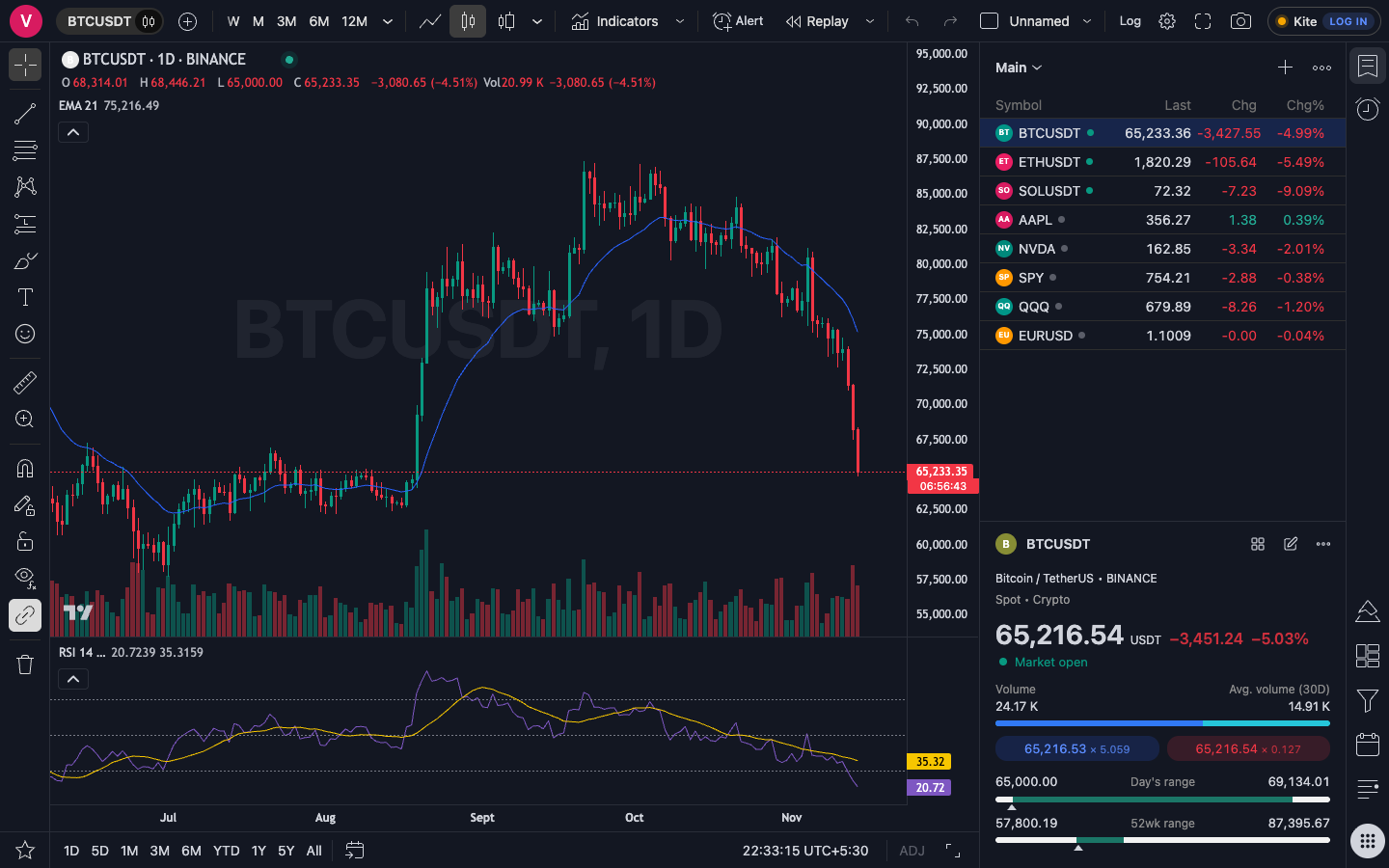
Chart shown for illustration. Market data comes from your broker and public sources, and is not included with the app.
Built to feel familiar if you have used a charting platform before, and fast because it runs on your own machine.
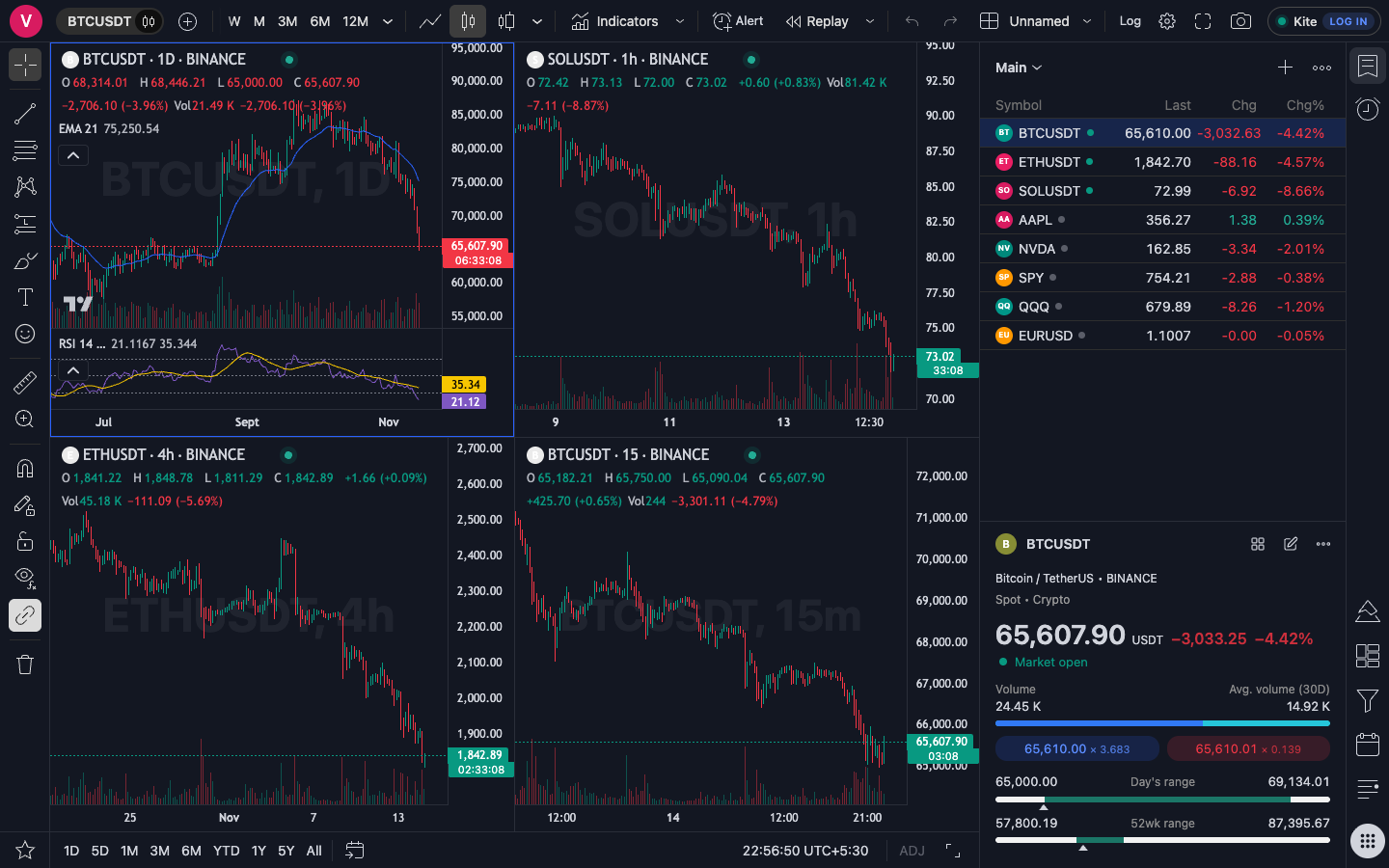
Lay out as many charts as you need, each with its own symbol and timeframe, or keep them in sync.
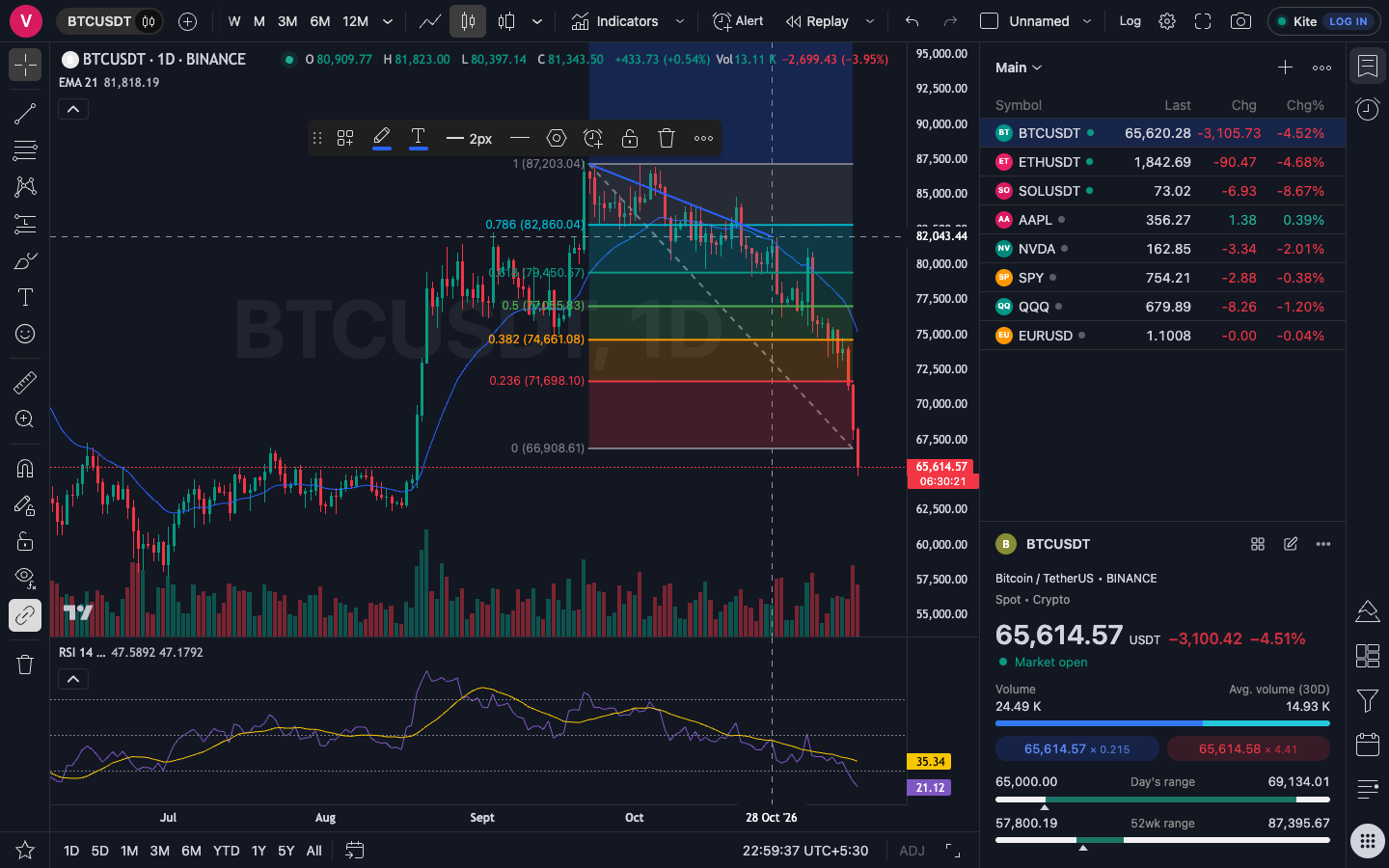
Trend lines, channels, Fibonacci tools, rectangles, long and short position tools and a measure tool that reads price change, bars and volume.
Moving averages, RSI, MACD, Supertrend, VWAP, volume profile and many more, all built in.
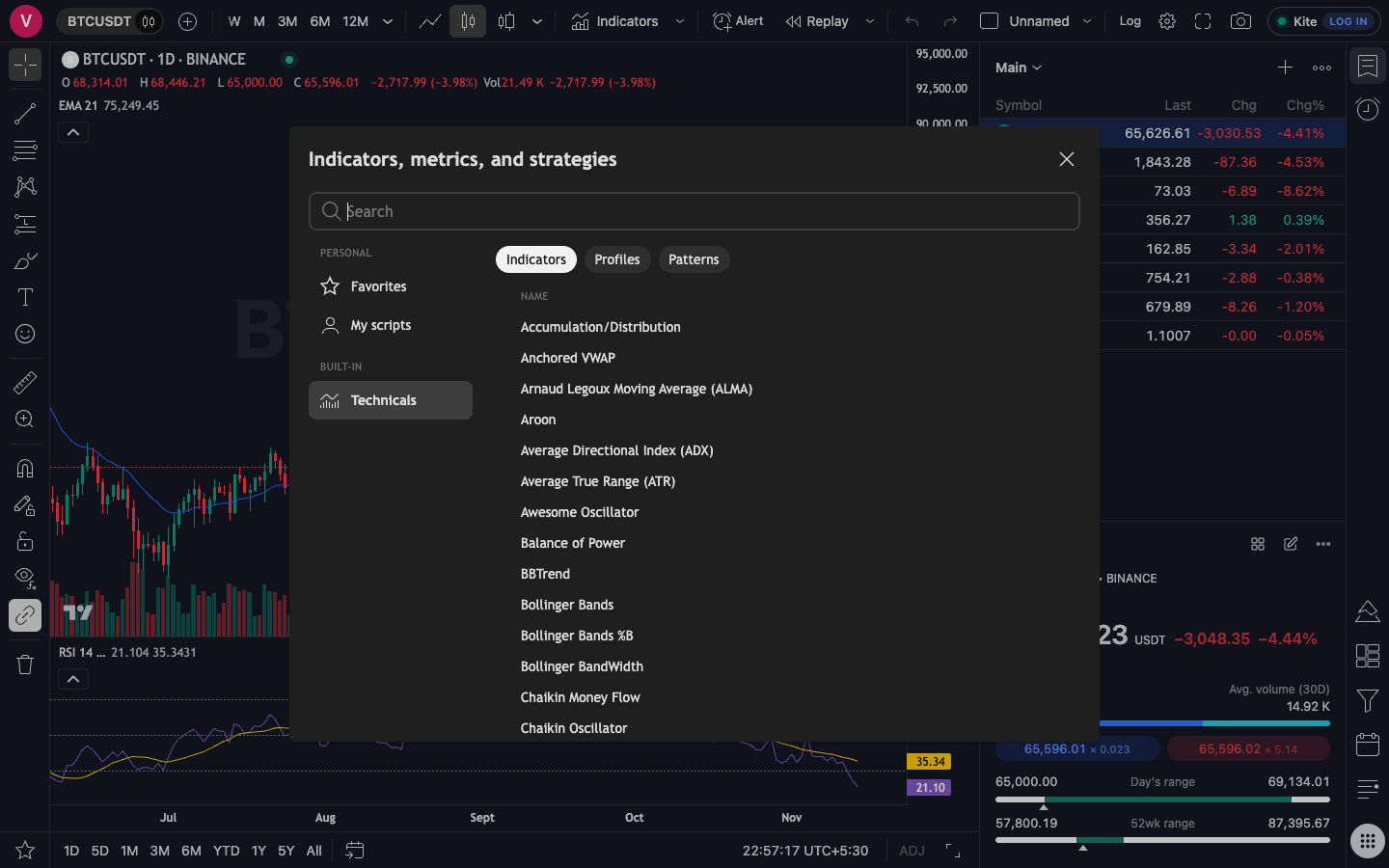
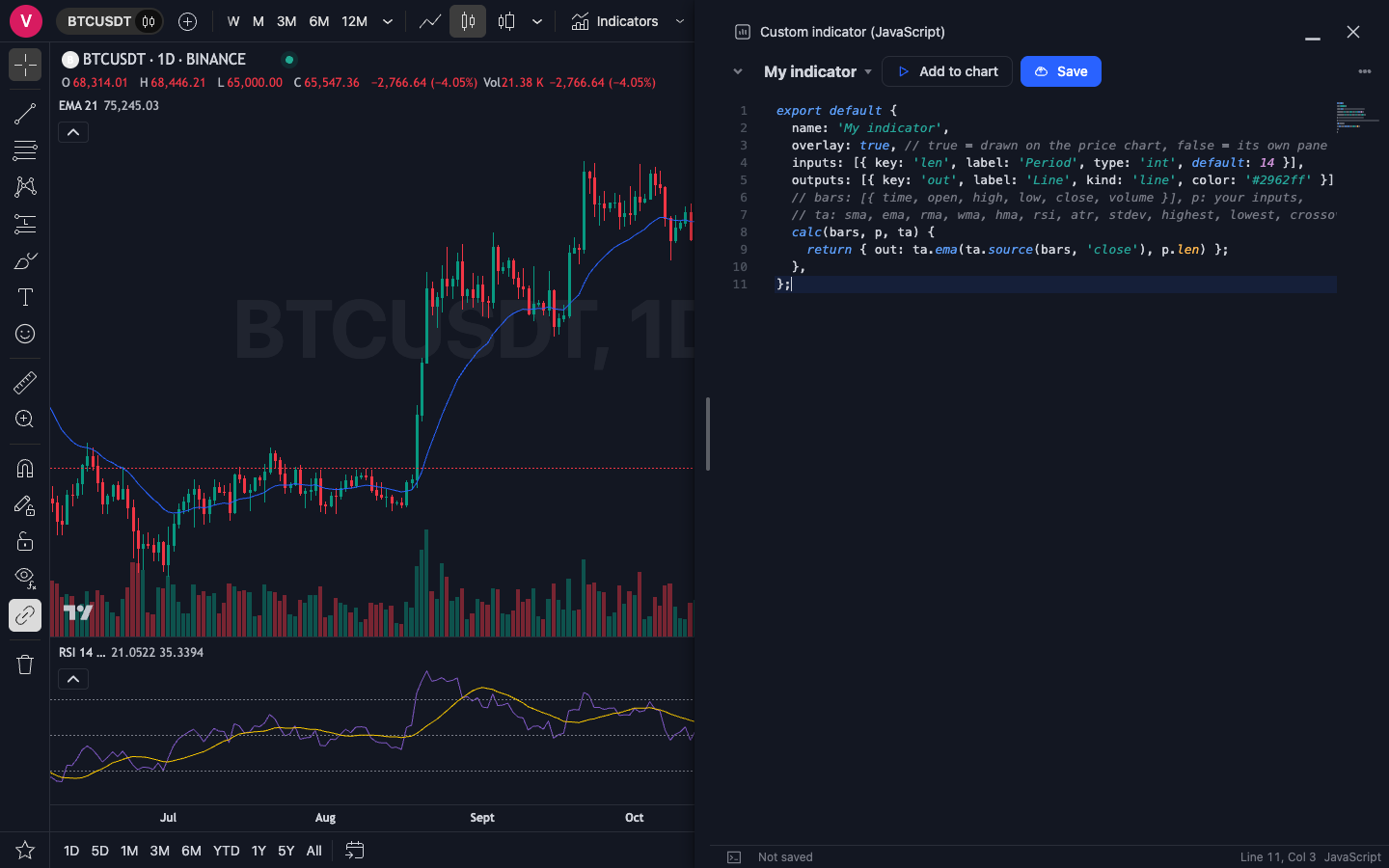
Need something that is not built in? Write it as a short JavaScript file and add it to any chart.
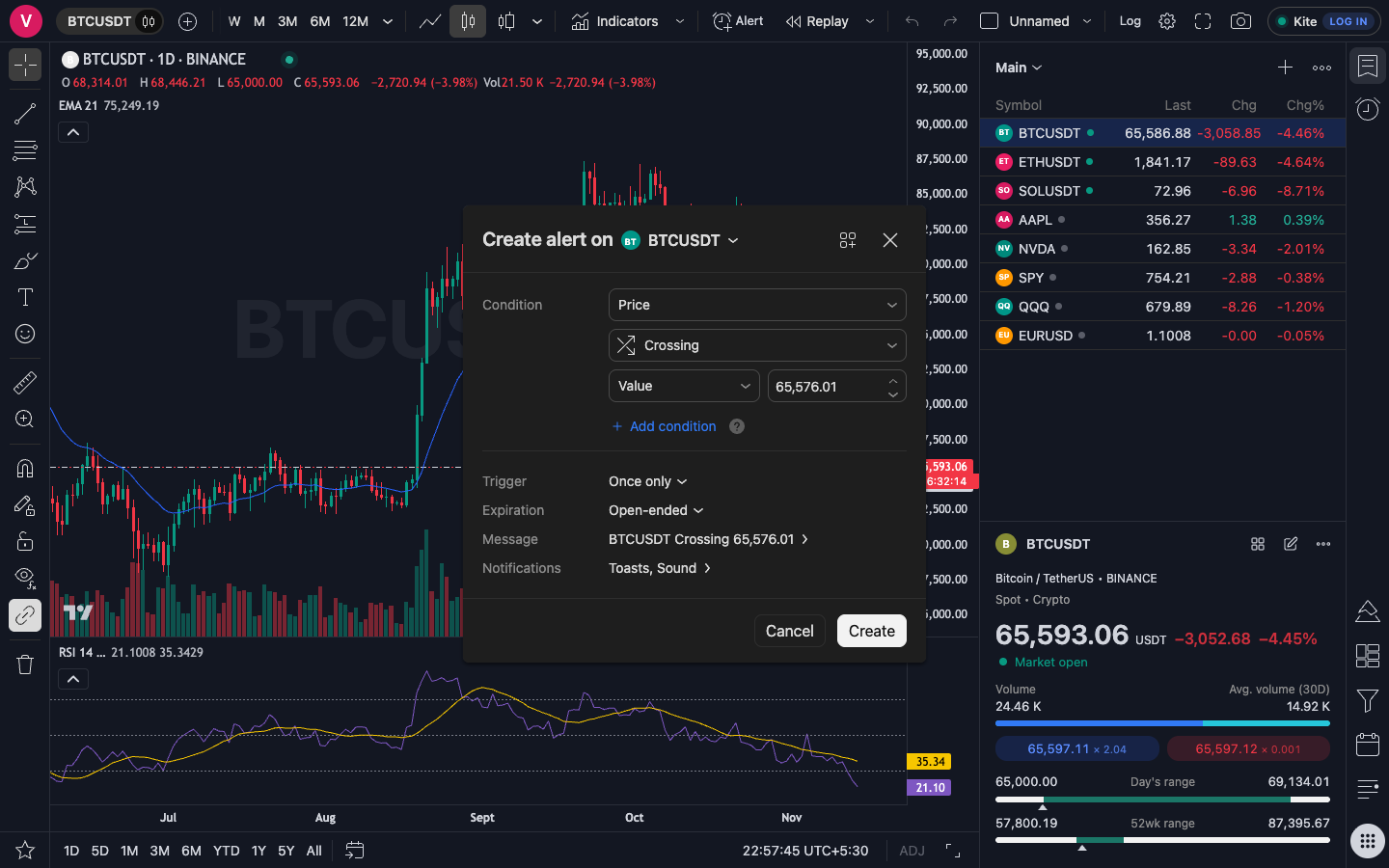
Set a condition once and get a desktop notification when it happens, even when you are looking at another chart.
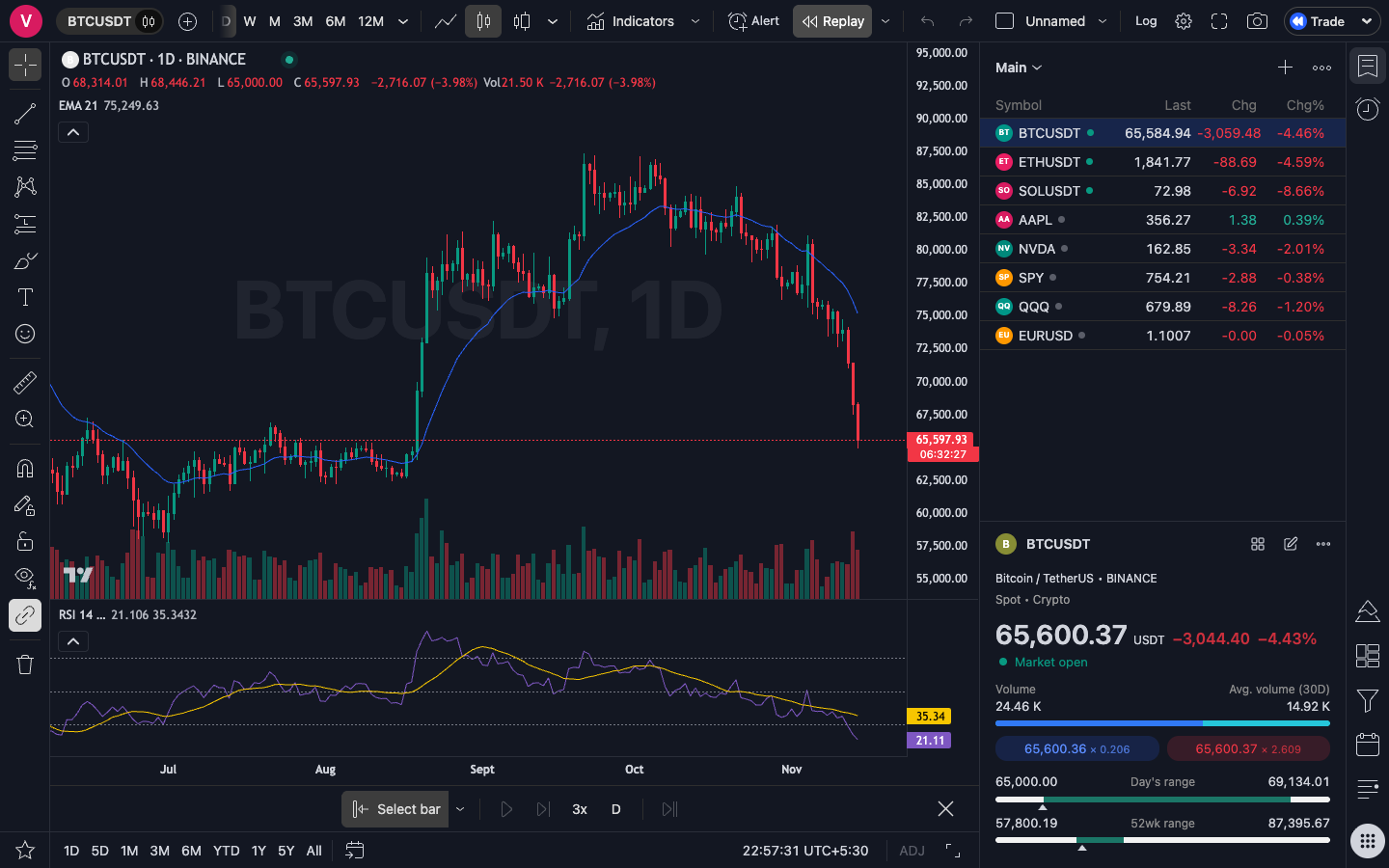
Pick a starting bar and step through history as if it were happening now, then practise your entries without risking money.
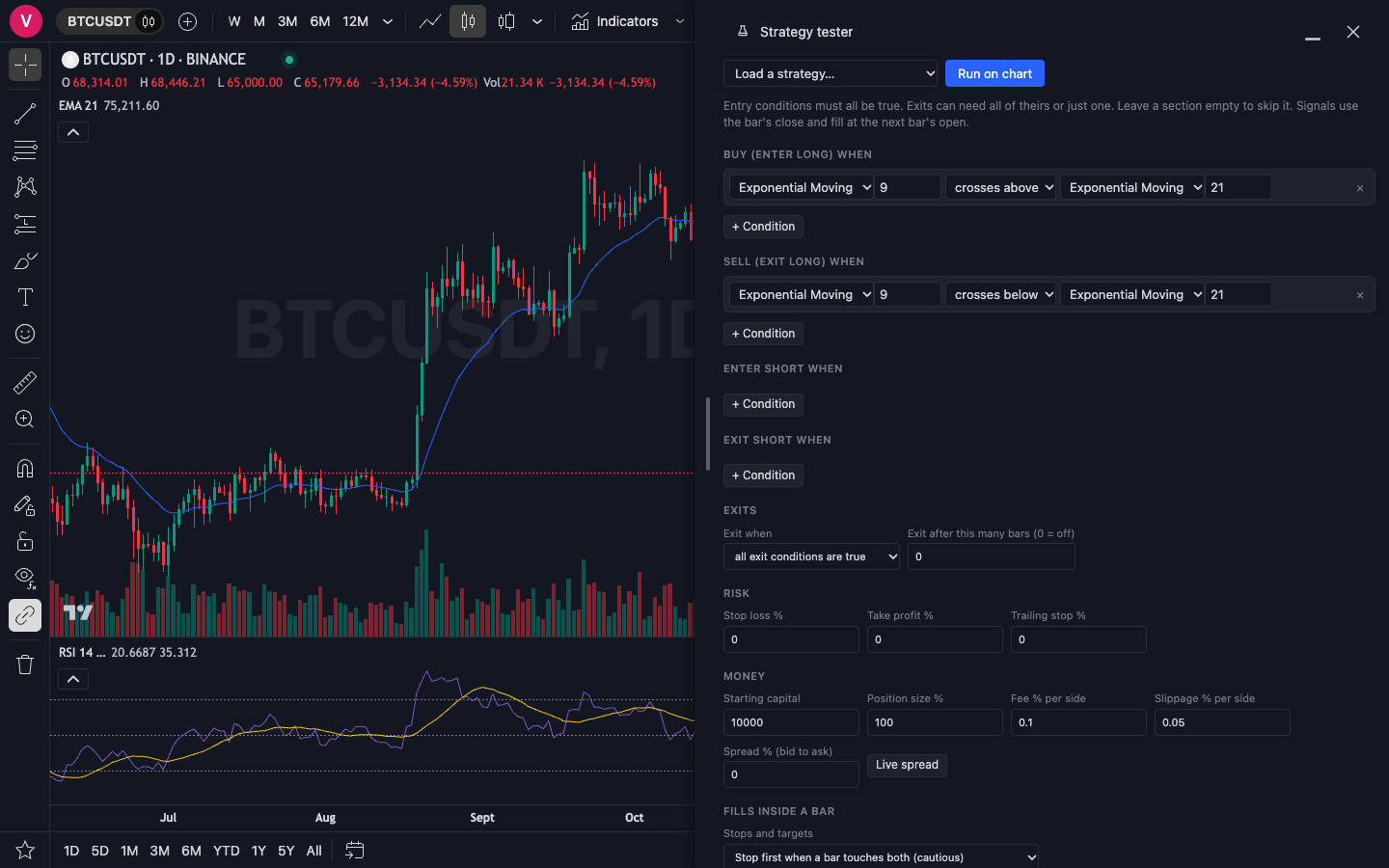
Build entry and exit rules from the indicators you already use, then run them on the chart.
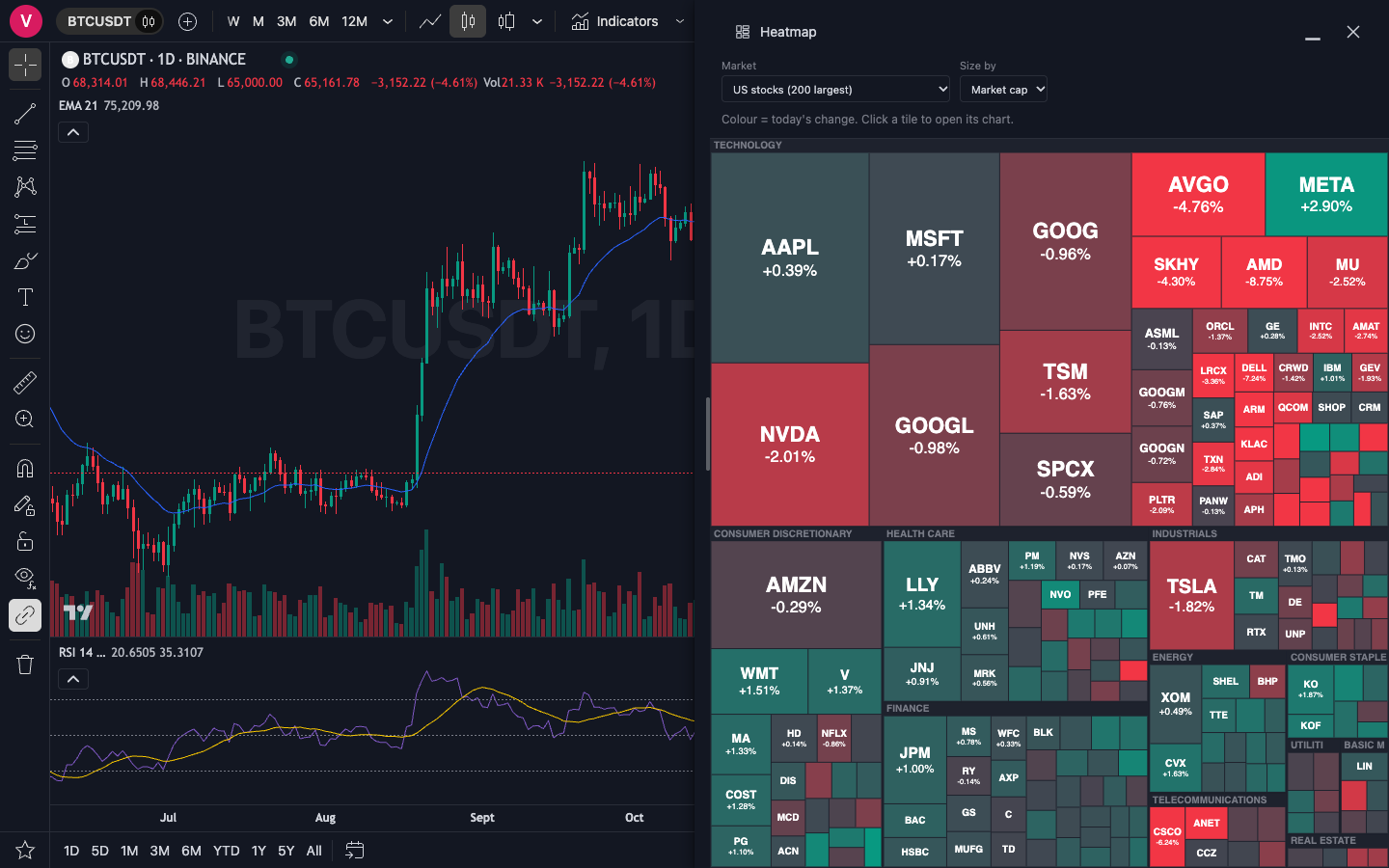
A heatmap of the largest US stocks by sector, or the most traded crypto pairs, coloured by today’s move. Click a tile to open its chart.
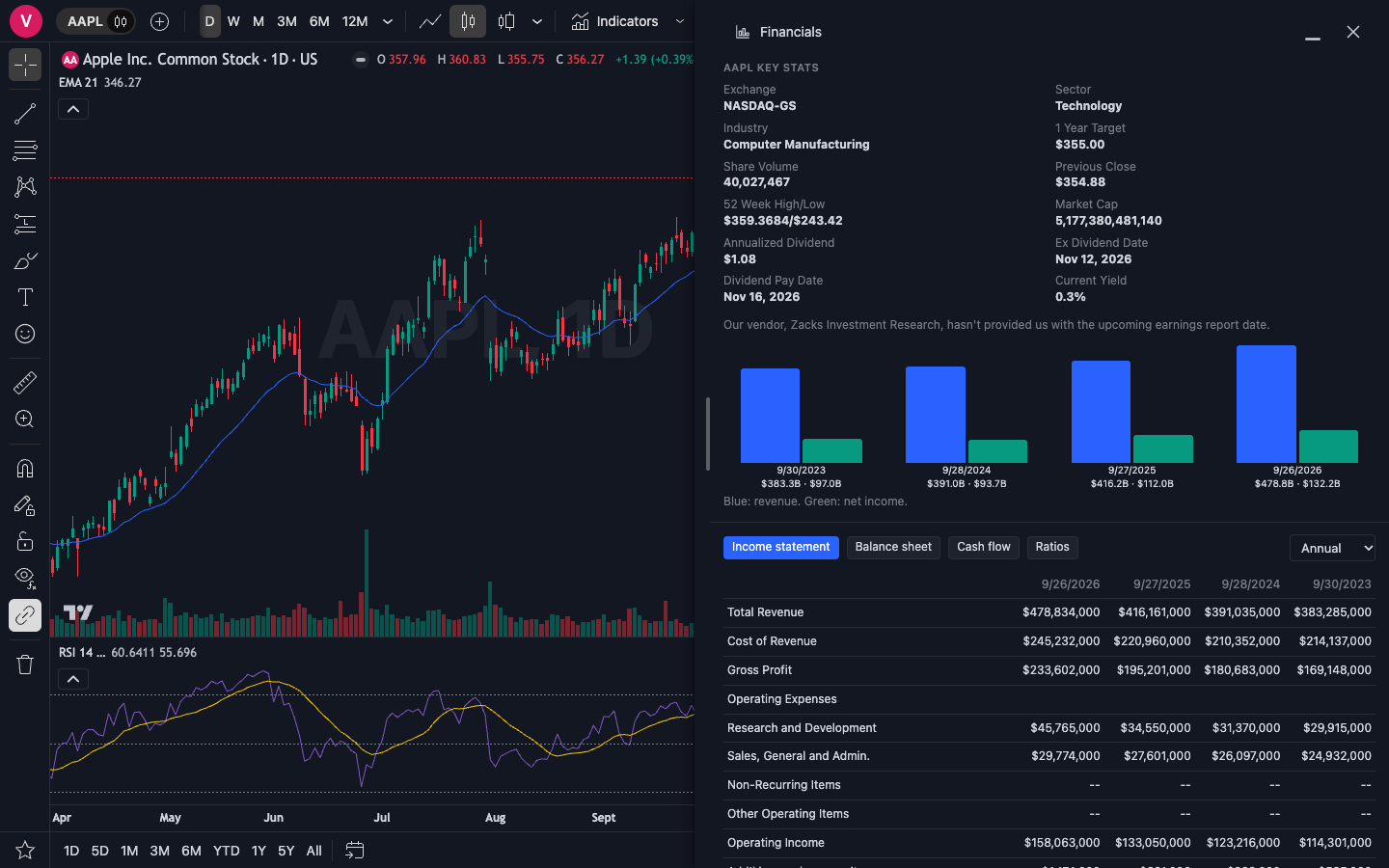
Key stats, income statement, balance sheet, cash flow and ratios for US, NSE and BSE stocks, in a panel beside your chart.
The rest of the toolbox, one click away from the chart.
Option chain, strategy builder, strategy finder, volatility and volume pages for index and stock options.
Connect your Zerodha Kite account, upload a CSV or enter trades by hand, and see how your holdings compare with the Nifty 50.
A practice account with market, limit and stop orders, stop loss and take profit. Simulated fills and no broker connection.
Filter by price, change and volume, then add a technical condition such as RSI below 30 and scan.
Economic events, earnings and dividends by day, and a news feed for the symbols on your watchlist.
Each year’s path from 1 January, the average year and a table of monthly returns for any symbol.
Sign in with Zerodha Kite, Dhan or Fyers using your own API app. There is no TradingSlate account and no server holding your trades.
Watchlists, drawings, alerts and layouts are files on your computer. They do not leave it.
Pick the theme that suits your screen, and download a chart as an image whenever you need to share one.
Put in what you pay for charting each month and see when a one-time licence comes out ahead.
TradingSlate costs ₹17,999 once
—
—
—
Illustration only. It uses the price on this page and the monthly amount you enter. Your broker may charge for market data, and that is not included.
How TradingSlate is put together, in plain words.
Layouts, drawings, alerts and trades are saved on your own machine. There is no account to create with us.
Connect Kite, Dhan or Fyers with an API app you create, and revoke it from the broker's side any time.
Replay a chart bar by bar, test a rule on history and set alerts. Check an idea before money is behind it.
Pay one time and keep the licence. A year of updates and support is included, with no renewal to chase.
About the licence check: it asks your broker once for your client ID, to match your licence. We do not store your broker token.
There is no checkout to fight with. You pay by UPI and your licence is added by hand.
Send the amount to the UPI ID in the pricing section below: ₹17,999, or ₹14,999 with a valid coupon code.
Email the payment screenshot, your broker and client ID (for example Kite AB1234), and your coupon code if you have one. Your licence is tied to that ID.
You get the installer link back by email, usually within a day. Install, sign in with your broker, and you are in.
TradingSlate
₹17,999 one-time
Pay once. Keep your charts.
Then ₹19,999 once the launch ends.
Launch price for the first 200 buyers, or until 31 January 2027, whichever comes first.
Have a coupon code from a creator? It takes ₹3,000 off, so you pay ₹14,999.
Pay by UPI
8855801962@ibl
Send ₹17,999 (or ₹14,999 with a coupon code) from any UPI app, then email the screenshot with your broker and client ID.
For computers only, not phones or tablets. Needs an internet connection and a broker account (Kite, Dhan or Fyers) for NSE and BSE data.
You pay once and keep the licence, and the app runs on your own computer, so there is no monthly bill and your data stays with you. The trade-offs: there is no phone or tablet app, no cloud sync between devices, and alerts only fire while TradingSlate is running on your computer. Market data comes through your own broker, which may charge for it.
Windows, Linux, and Macs with Intel or Apple silicon.
Yes, for now. The app isn't notarized by Apple yet, so macOS asks you to confirm the first launch: open System Settings, then Privacy & Security, and choose "Open Anyway". You only do this once per install.
From your own broker sign-in for NSE and BSE, and from free public sources for US stocks, crypto and forex. Historical data is not included with the app and depends on what those sources provide.
It is a charting and analysis tool. It uses your broker sign-in to read data. Paper trading is a practice account inside the app and does not send orders to your broker.
To your broker client ID, not to a person or an email. It works on up to 3 of your computers. If you get a new computer and run out of slots, write to us and we free one.
A computer is tied to the first broker ID that signs in on it. Write to us if you need to move it.
Free updates for 1 year from purchase. New versions arrive as a download link by email. Your licence doesn't expire, but broker or data-source changes can stop an old version working, so keep it current within that year.
Your watchlists, drawings, alerts and layouts stay on your computer. The app contacts a licence server to check that your broker ID is licensed, and sends it your broker ID and an identifier for your computer. Your trades are not sent.
Creators we work with share a code that takes ₹3,000 off the price. Pay ₹14,999 and email the code with your screenshot. We check the code before adding your licence, so a payment of ₹14,999 without a valid code is not accepted for the full licence.
No refunds. Please write to us with any questions before you pay.
Write to support@tradingslate.in.